
vuedraggable2
v1.1.0
Published
draggable component for vue

Maintainers
 kinsey2
Readme
在原作者基础上改进一下方法,使得插件通俗可用(增加了锁定X轴或Y轴移动)
基于并提供所有功能 Sortable.js
演示
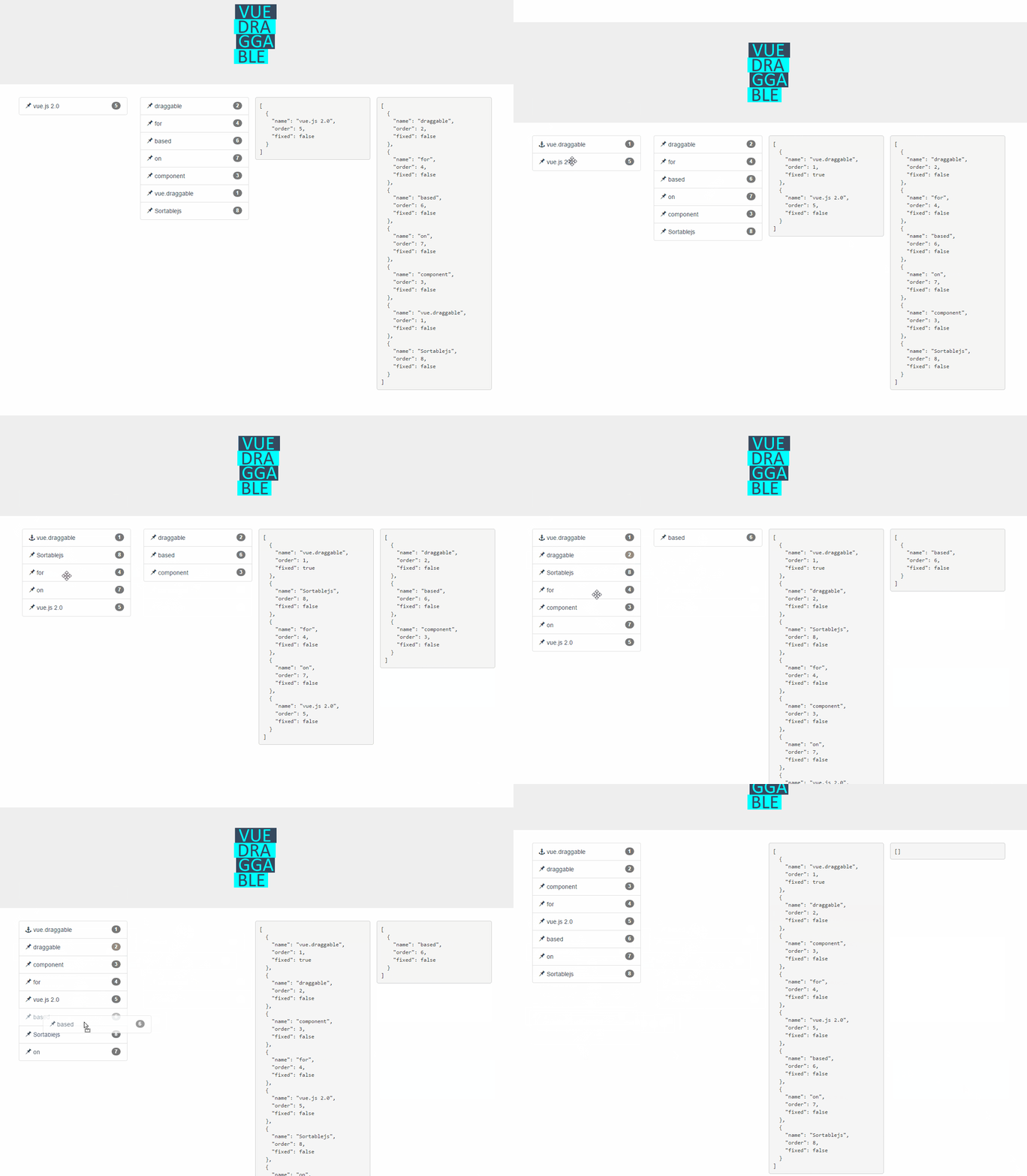
在线演示
https://sortablejs.github.io/Vue.Draggable/
https://david-desmaisons.github.io/draggable-example/
特性
- 完全支持Sortable.js 功能:
- 支持触摸设备
- 支持拖动手柄和可选文本
- 智能自动滚动
- 支持不同列表之间的拖放
- 没有jQuery依赖
- 保持同步HTML和视图模型列表
- 与Vue.js 2.0 transition-group兼容
- 取消支持
- 在需要完全控制时报告任何更改的事件
- 重用现有的UI库组件(例如 vuetify, element, 或 vue material 等...) 并使用
tagandcomponentData属性进行拖动
安装
使用 npm or yarn
yarn add vuedraggable2

npm i -S vuedraggable2
Vue.js 2.0
使用可拖动组件:
示例:
<draggable v-model="myArray" group="people" @start="drag=true" @end="drag=false">
   <div v-for="element in myArray" :key="element.id">{{element.name}}</div>
</draggable>
.vue文件:
  import draggable from 'vuedraggable'
  ...
  export default {
        components: {
            draggable,
        },
  ...
使用 transition-group:
<draggable v-model="myArray">
    <transition-group>
        <div v-for="element in myArray" :key="element.id">
            {{element.name}}
        </div>
    </transition-group>
</draggable>
可拖动组件应直接包装可拖动元素,或 transition-component 包含可拖动元素.
使用footer slot:
<draggable v-model="myArray" draggable=".item">
    <div v-for="element in myArray" :key="element.id" class="item">
        {{element.name}}
    </div>
    <button slot="footer" @click="addPeople">Add</button>
</draggable>
使用 header slot:
<draggable v-model="myArray" draggable=".item'">
    <div v-for="element in myArray" :key="element.id" class="item">
        {{element.name}}
    </div>
    <button slot="header" @click="addPeople">Add</button>
</draggable>
使用 Vuex:
<draggable v-model='myList'>computed: {
myList: {
get() {
return this.$store.state.myList
},
set(value) {
this.$store.commit('updateList', value)
}
}
}新增属性
direction
类型: String
必填: false
可选: x或y或xy
控制拖动方向,这是原作上面没有的功能
属性
value
类型: Array
必填: false
默认: null
将数组输入到可拖动组件。通常与内部元素v-for指令引用的数组相同。
这是使用Vue.draggable的首选方法,因为它与Vuex兼容。
它不应该直接使用,只能通过 v-model 指令:
<draggable v-model="myArray">list
类型: Array
必填: false
默认: null
替代 value prop,list是一个与拖放同步的数组.
主要区别在于 list 使用splice方法拖动组件更新值, 而 value 是不可变的.
不要与 value 属性一起使用.
sortable
可排序选项可以直接设置为vue.draggable props 这意味着所有 sortable option 都是有效的可排序道具, 所有方法都以“on”开头,因为可拖动组件通过事件公开相同的API. 支持kebab-case propery:例如,ghost-classprops将被转换为ghostClass可排序选项。 示例设置句柄,可排序和组选项:
<draggable
        v-model="list"
        handle=".handle"
        :group="{ name: 'people', pull: 'clone', put: false }"
        ghost-class="ghost"
        :sortable="false"
        @change="log"
      >
      <!-- -->
</draggable>
tag
类型: String
默认: 'div'
可拖动组件创建的元素的HTML节点类型作为包含的插槽的外部元素. 也可以将vue组件的名称作为元素传递。在这种情况下,draggable属性将传递给create组件. componentData 如果你需要的道具或事件设置为创建的组件.
clone
类型: Function
必填: false
默认: (original) => { return original;}
当clone选项为true时,函数调用源组件克隆元素。唯一参数是要克隆的viewModel元素,返回的值是其克隆版本. 默认情况下,vue.draggable会重用viewModel元素,因此如果要克隆或深度克隆它,则必须使用此挂钩.
move
类型: Function
必填: false
默认: null
如果不为null,则将以与 Sortable onMove callback. 类似的方式调用此函数。返回false将取消拖动操作
function onMoveCallback(evt, originalEvent){
   ...
    // return false; — for cancel
}
evt对象具有与 Sortable onMove event, 相同的属性,以及3个其他属性:
draggedContext: 与拖动元素链接的上下文index: 拖动元素索引element: 拖动元素基础视图模型元素futureIndex: 如果接受放置操作,则拖动元素的潜在索引
relatedContext: 与当前拖动操作关联的上下文index: 目标元素索引element: 目标元素视图模型元素list: 目标列表component: 目标VueComponent
HTML:
<draggable :list="list" :move="checkMove">javascript:
checkMove: function(evt){
    return (evt.draggedContext.element.name!=='apple');
}
请参阅完整示例: Cancel.html, cancel.js
componentData
类型: Object
必填: false
默认: null
此props用于将附加信息传递给标记道具声明的子组件。 值:
props: 要传递给子组件的属性attrs: 要传递给子组件的attrson: 要在子组件中订阅的事件
示例(使用 element UI 库):
<draggable tag="el-collapse" :list="list" :component-data="getComponentData()">
    <el-collapse-item v-for="e in list" :title="e.title" :name="e.name" :key="e.name">
        <div>{{e.description}}</div>
     </el-collapse-item>
</draggable>
methods: {
handleChange() {
console.log('changed');
},
inputChanged(value) {
this.activeNames = value;
},
getComponentData() {
return {
on: {
change: this.handleChange,
input: this.inputChanged
},
attrs:{
wrap: true
},
props: {
value: this.activeNames
}
};
}
}Events
支持可排序事件:
start,add,remove,update,end,choose,sort,filter,clone每当在onStart,使用onAdd,onRemove,的onUpdate,onEnd,onChoose,的onSort,onClone由Sortable.js使用相同的参数触发的事件被调用. See here for reference请注意,SortableJS OnMove回调与 move prop 映射
HTML:
<draggable :list="list" @end="onEnd">change event
change当list prop不为null并且由于拖放操作而改变相应的数组时触发事件。使用包含以下属性之一的一个参数调用此事件:added: 包含添加到数组的元素的信息newIndex: 添加元素的索引element: 添加的元素
removed: 包含从数组中删除的元素的信息oldIndex: 删除前元素的索引element: 删除的元素
moved: 包含在数组中移动的元素的信息newIndex: 移动元素的当前索引oldIndex: 移动元素的旧索引element: 移动的元素
Slots
限制:页眉或页脚插槽与过渡组一起使用.
Header
使用 header 插槽在vuedraggable组件内添加不可拖动的元素。
重要提示:它应与draggable选项一起使用以标记可拖动元素。
请注意,无论在模板中的位置如何,都会在默认插槽之前添加标头插槽。
例如:
<draggable v-model="myArray" draggable=".item">
    <div v-for="element in myArray" :key="element.id" class="item">
        {{element.name}}
    </div>
    <button slot="header" @click="addPeople">Add</button>
</draggable>
Footer
使用 footer 插槽在vuedraggable组件内添加不可拖动的元素。
重要提示:它应与draggable选项一起使用以标记可拖动元素。
请注意,无论在模板中的位置如何,都会在默认插槽后添加页脚插槽。
例如:
<draggable v-model="myArray" draggable=".item">
    <div v-for="element in myArray" :key="element.id" class="item">
        {{element.name}}
    </div>
    <button slot="footer" @click="addPeople">Add</button>
</draggable>
Gochas
- Vue.draggable子节点应始终使用v-for指令映射列表或值prop
- v-for中的子元素应该键入Vue.js中的任何元素。请特别注意提供重要的关键值:
- 通常提供数组索引作为键将不起作用,因为键应链接到项目内容
- 克隆元素应该提供更新的密钥,例如,使用 clone props 是可行的