koa-html-template
v1.0.0
Published
This is a koa-based templating engine that can render html files for data rendering.


Readme
koa-html-template
Introduction
- Koa-html-template makes it easy to render html files
- Simple operation and simple syntax
Download
npm i koa-html-templateInstructions
const koa = require("koa")
const Router = require("koa-router")
const Static = require("static-resource-plugin")
// 引入 koa-html-template
const template = require("koa-html-template")

const server = new koa()
const router = new Router()

server.use(Static ()) // The default static folder here is the folder where the static resources are stored.
server.use(template()) // If there is no custom setting to store the path to the html file, it will be stored in the static folder of the project root directory by default.
server.use(router.routes()).use(router.allowedMethods())

router.get("/",async ctx=>{
    ctx.body = "Hello World"
})

router.get("/demo",async ctx=>{
	/*
	* @params path   Path to html template file
	* @params data   The data to be rendered by the template
	* ctx.template(path,data)
	*/
    await ctx.template("html/index.html",{
        demo:"this is a demo page..."
    })
})

server.listen(3000,function(){
    console.log("server is running at http://localhost:3000")
})
<!-- index.html -->
<!DOCTYPE html>
<html>
<head>
<meta charset="utf-8">
<title>demo</title>
</head>
<body>
<h1>Hello World</h1>
<h2>{{demo}}</h2>
<br>
<img src="demo1.jpg" width="300px" alt="">
</body>
</html>- Html file after data rendering
<!DOCTYPE html>
<html>
    <head>
        <meta charset="utf-8">
        <title>demo</title>
    </head>
    <body>
        <h1>Hello World</h1>
        <h2>this is a demo page...</h2>
        <br>
        <img src="demo1.jpg" width="300px" alt="">
    </body>
</html>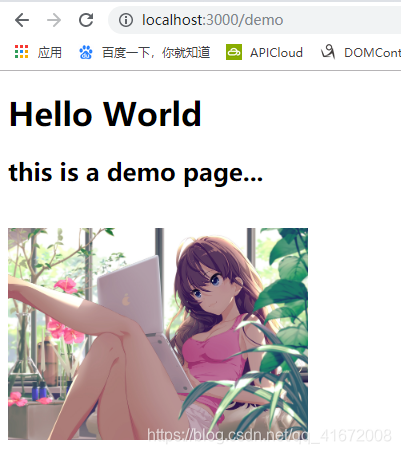
- You can see {{demo}} rendered into this is a demo page...
Basic grammar
if statement
<!-- index.html -->
<!DOCTYPE html>
<html>
    <head>
        <meta charset="utf-8">
        <title>demo</title>
    </head>
    <body>
        <h1>Hello World</h1>
        <!-- if statement -->
        {if flag}
        <h1>this is show if statement...</h1>
        {/if}
    </body>
</html>
// server.js
router.get("/demo",async ctx=>{
/*
* @params path Path to html template file
* @params data The data to be rendered by the template
* ctx.template(path,data)
*/
await ctx.template("html/index.html",{
flag:true // the flag is true
})
})- the flag is true
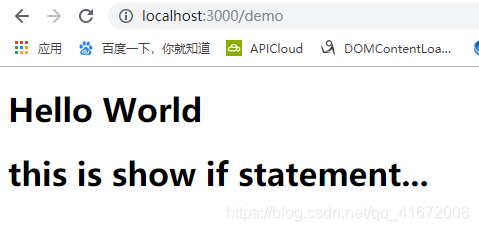
- if the flag is false
router.get("/demo",async ctx=>{
    await ctx.template("html/index.html",{
        flag:false // the flag is false
    })
})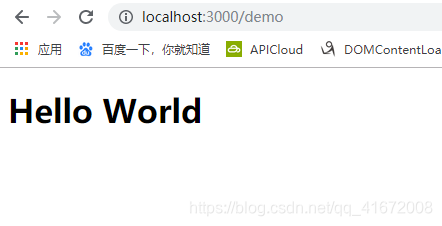
- You can see that the dom element has disappeared.
for statement
- If you make a for loop on an array
<!-- index.html -->
<!DOCTYPE html>
<html>
    <head>
        <meta charset="utf-8">
        <title>demo</title>
    </head>
    <body>
        <h1>Hello World</h1>
        {for list}
        <p>{$index}==>{$value}</p>
        {/for}
    </body>
</html>
// server.js
router.get("/demo",async ctx=>{
await ctx.template("html/index.html",{
list:[1,2,3,4]
})
})
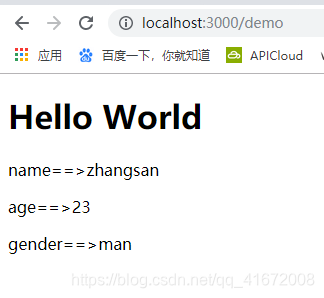
- If you are doing a for loop on an object
<!-- index.html -->
<!DOCTYPE html>
<html>
    <head>
        <meta charset="utf-8">
        <title>demo</title>
    </head>
    <body>
        <h1>Hello World</h1>
        {for list}
        <p>{$key}==>{$value}</p>
        {/for}
    </body>
</html>
// server.js
router.get("/demo",async ctx=>{
await ctx.template("html/index.html",{
list:{
name:"zhangsan",
age:23,
gender:"man"
}
})
})
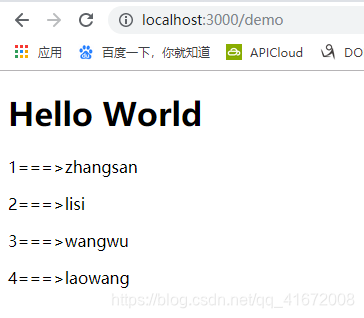
- If you want a loop on an array containing objects
<!-- index.html -->
<!DOCTYPE html>
<html>
    <head>
        <meta charset="utf-8">
        <title>demo</title>
    </head>
    <body>
        <h1>Hello World</h1>
        {for list}
        <p>{$value.id}===>{$value.name}</p>
        {/for}
    </body>
</html>
// server.js
router.get("/demo",async ctx=>{
await ctx.template("html/index.html",{
list:[
{
id:1,
name:"zhangsan"
},
{
id:2,
name:"lisi"
},
{
id:3,
name:"wangwu"
},
{
id:4,
name:"laowang"
}
]
})
})
Support for embedding other html templates
- Use {-include "othet html path" } to introduce other html templates
<!-- footer.html -->
<h1>this is a footer...</h1>
<p>{{demo}}</p>
<!-- index.html -->
<!DOCTYPE html>
<html>
<head>
<meta charset="utf-8">
<title>demo</title>
</head>
<body>
<h1>Hello World</h1>
{-include "html/footer.html" }
</body>
</html>// server.js
router.get("/demo",async ctx=>{
await ctx.template("html/index.html",{
demo:"this is a demo page..."
})
})