
honey-toast
v1.0.4
Published
A framework agnostic simple yet powerful Toast Alert or Notification Library
Downloads
46

Maintainers
 rbrahul
Readme
Honey-Toast
A framework agnostic simple yet powerful Toast Alert or Notification library that offers tons of customization, designs and animations.
Demo and Playground:
View Demos and Play with different animations and designs. You can just copy the generated code and start using in your project.
Documentation
Complete list of APIs only available in the Documentation..
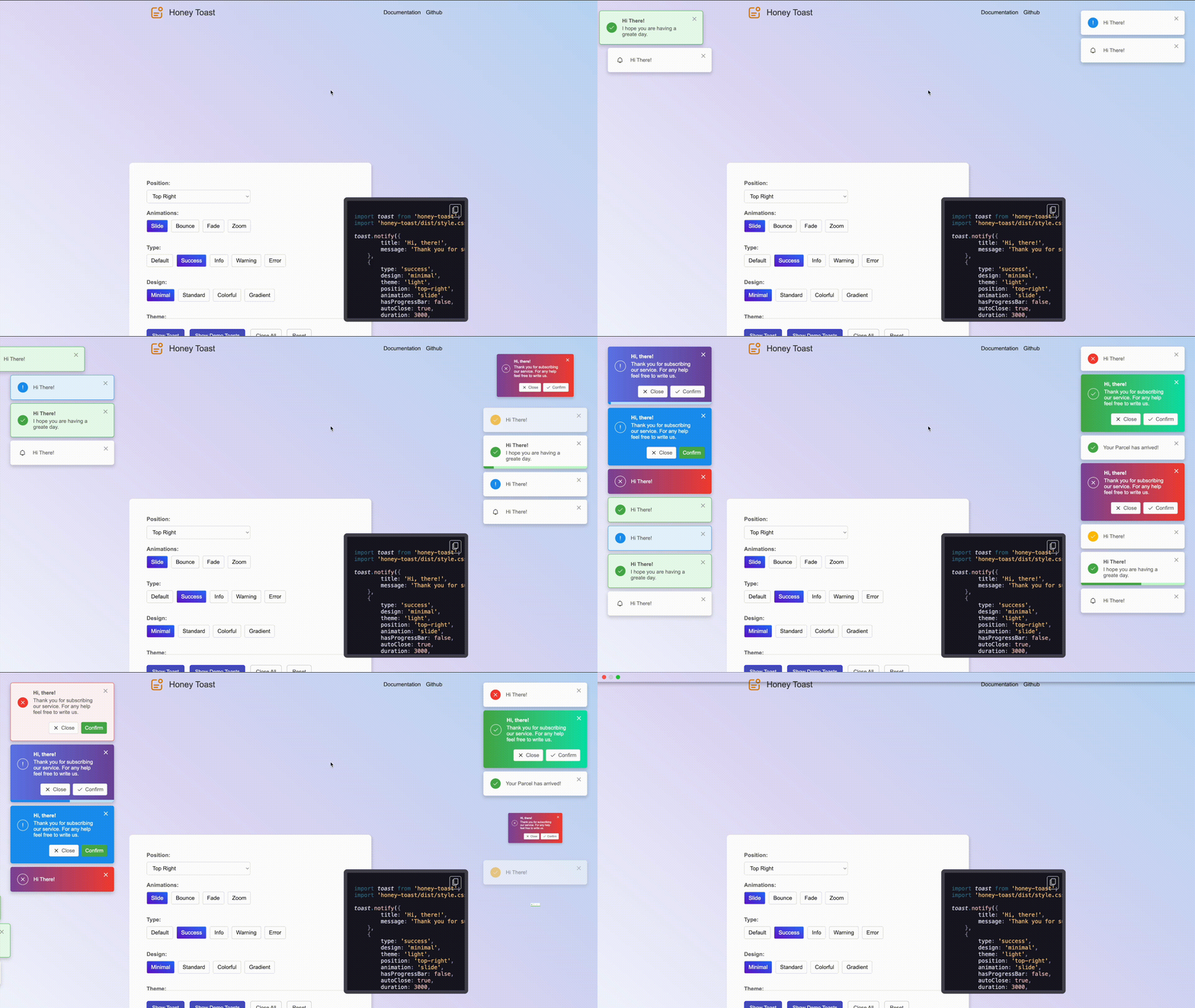
Main Features:
- Easier installation and integrations
- Use with any Javascript framework as it has zero dependencies.
- Huge collections of beautiful designs and categories
- Lot of built in animations to create interactive toast alert
- Control over the states of notifications
- Light, Dark and Sytem Default themes are supported
- Creating custom designs is way easier
- Playground to create Notifications and copy the generated code.
Installation:
Install via npm:
npm i honey-toast --saveInstall via yarn:
yarn add honey-toastInstall via pnpm:
pnpm add honey-toastInstall via CDN
<link href="https://cdn.jsdelivr.net/npm/honey-toast@latest/dist/style.css" rel="stylesheet" />
<script src="https://cdn.jsdelivr.net/npm/honey-toast@latest/dist/toast.umd.min.js"></script>
<script>
    toast.notify("Hi There!")
</script>
Usage Example:
Create notification with default configurations.
import toast from 'honey-toast';
import 'honey-toast/dist/style.css';

toast.notify("Hi There!")
Create different type of notifications using simpler api:
toast.success("Your information have been udpated!")
toast.info("Email has been delivered!")
toast.warn("Stock is limited")
toast.error("Ooops, something went wrong")
Create more advanced toast notification with tons of options. Please have a look into our the API Documentation to find the complete list of options.
const notification = toast.notify(
  {
    title: "Hi, there!",
    message: "Thank you for subscribing our service.",
    buttons: [
      {
        iconUrl: "YOUR_ICON_DIR/close.svg",
        label: "Cancel",
        classes: [],
        onClick: () => {
          console.log("Canceling...");
        },
      },
      {
        iconUrl: "YOUR_ICON_DIR/tick.svg",
        classes: [],
        label: "Confirm",
        onClick: () => {
          console.log("Confirming...");
        },
      },
    ],
  },
  {
    duration: 3000,
    position: "top-right",
    type: "success",
    animation: "slide",
    hasProgressBar: false,
    offset: { x: 30, y: 30 },
    classNames: [],
  }
);
Closing notifications:
const notification = toast.notify("Hi There!");
// close once you need
notification.close();

// to close all notifications:
notification.closeAll();
Updating existing notification in different circumstances:
const notification = toast.notify("Your requst is being processed", {hasProgressBar: true});
// once you need to update the status
notification.update("Request has been processed", {type: "success"})

// you may want to show error message if request was not handled correctly
notification.update("Ooops! Something went wrong", {type: "error"});
Change Log:
- V1.0.0: Initial version released on 16-02-2025
- V1.0.2: Released on 17-02-2025
- Fixed
CSS.pxfirefox browser support issue
- Fixed
Contributors:
License
Distributed under the MIT License.