
centimani
v1.0.7
Published
Quickly creating development customize tmpelate cli
Downloads
54


Readme
Centimani
Quickly creating development customize tmpelate cli

Install
If you haven't already got Node.js, then go get it.
npm install centimani -gFeatures
- [x] Customize template what you want.
- [x] Add cli instruction from setting json.
- [ ] Providind initialize setting cli.
- [ ] Scan folder structure compare to setting.
Introduction
Using init instruction
1.Creating setting.json file, writing folder structure.
$ centimani initExample Setting.json
{
    "controller": [
    {
        "templates": "./templ/templ.php",
        "distPath": "./dist/php/",
        "injectionFile": [
        {
            "templates": "./templ/controllerTemplInjection.php",
            "distPath": "./source/controller.php"
        },
        {
            "templates": "./templ/controllerTemplInjection.php",
            "distPath": "./source/controller2.php"
        }],
        "suffix": "php"
    },
    {
        "templates": "./templ/templ.js",
        "distPath": "./dist/js/",
        "suffix": "js",
        "prefix": "page"
    },
    {
        "templates": "./templ/templ.css",
        "distPath": "./dist/css/",
        "suffix": "css"
    }],
    "class": [
    {
        "templates":"./templ/templ2.php",
        "distPath":"./dist/php/",
    }]

}
There is two instruction help you creating base code with customize template.
$ centimani new controller testIt`s creating test.php at "./dist/php/" path. According to "./templ/controllerTemplInjection.php" which is template file,creating you want!
Example controllerTemplInjection.php
<?php
class {{class_name}}
{

}
Creating test.php as below
<?php
class test
{

}
Templates use mustache, use {{class_name}} replace name.
Example controllerTemplInjection.php
It`s also appending template code.
Route::get('/', '{{class_name}}@show');Appending to controller.php as below
Route::get('/', 'test@show');Screenshots
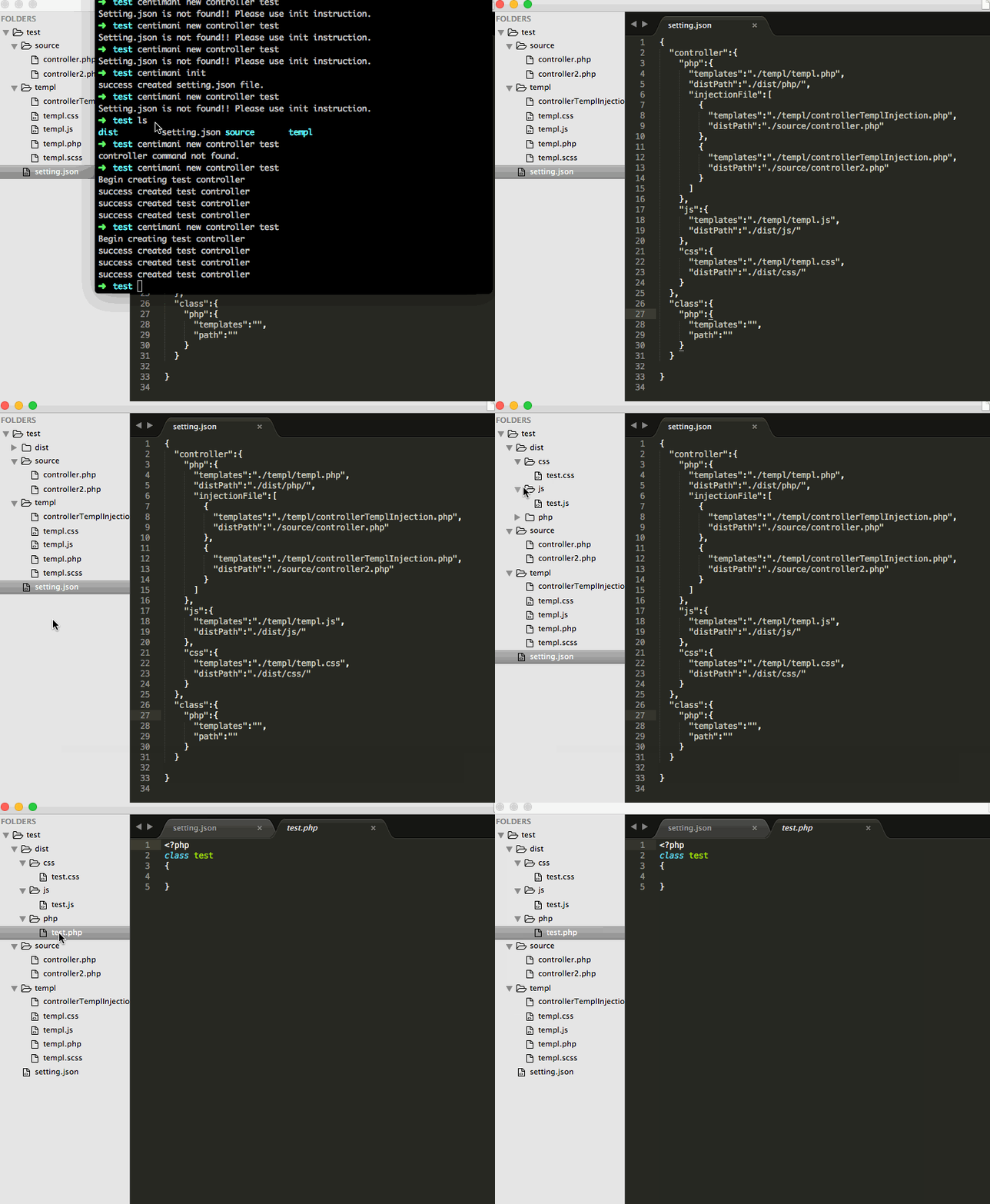
Authors
- Felix Lin - Github
License
This project is licensed under the MIT License - see the LICENSE.md file for details