
bitcar
v1.12.0
Published
Seamlessly jump between repos from the command line.


Readme






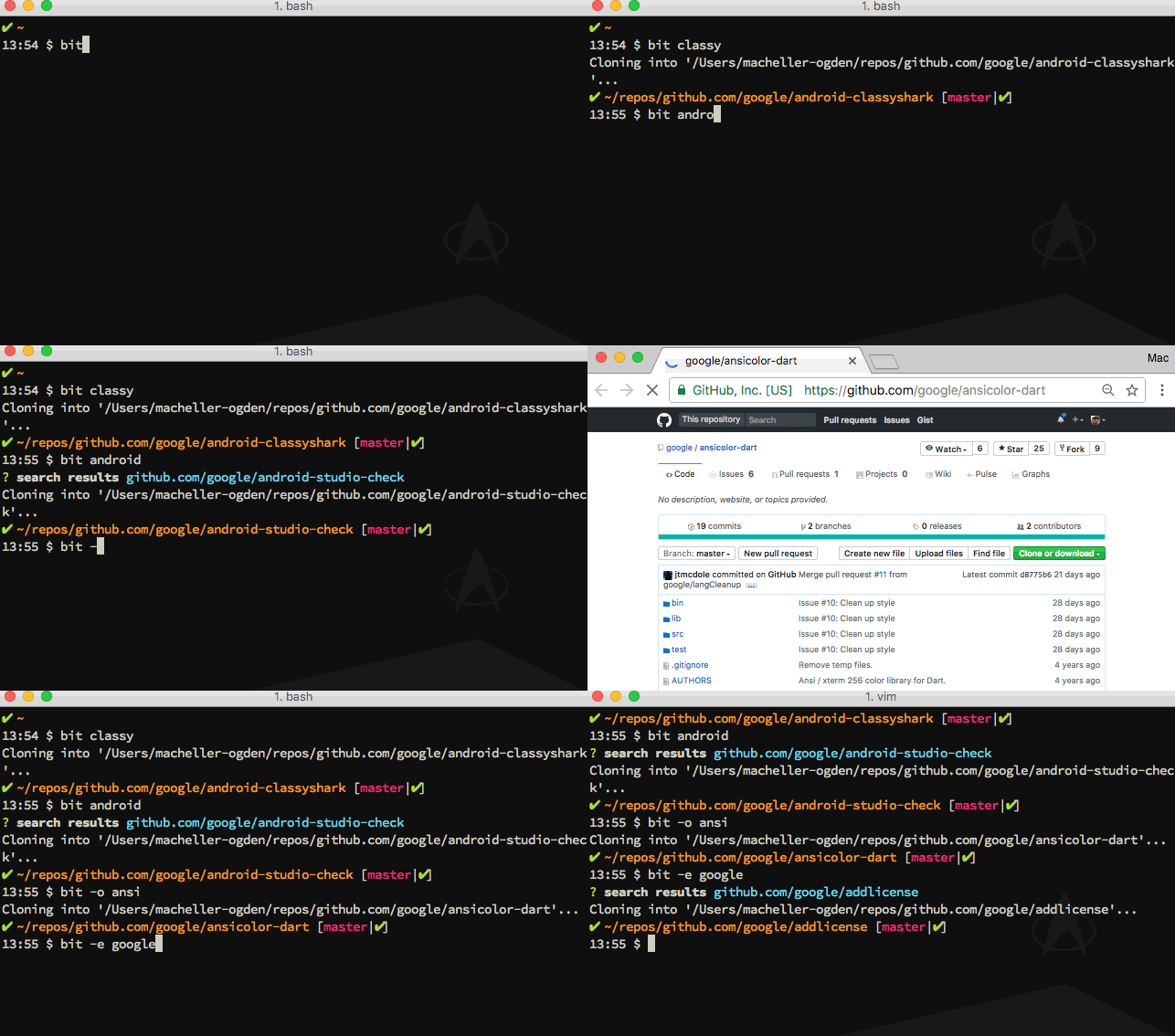
Seemlessly jump between repos from the command line.
Requirements
- node 6.x.x or newer
- either bash 3+, or zsh 5+
Older versions of zsh may work, but are untested.
Installation
npm i -g bitcarSetup
bitcar --setupSetup will drop a few dotfiles in ~/.bitcar and it will append a few lines to your ~/.bash_profile.
Note: You MUST use the command name you chose during setup. Only use the bitcar command itself for setup.
IMPORTANT: Now, start a new terminal session.
Usage
In the examples below, it is assumed you have set your bitcar command to bit. If you've chosen a different command name, adjust accordingly.
Search / Clone / Change Directory to Repo
bit {searchTerm}Open Repo in Browser
bit --open {searchTerm}bit -o {searchTerm}Open Repo in Editor
bit --edit {searchTerm}bit -e {searchTerm}Refresh Cache
bit --refreshbit -rThis is done automatically the first time you try and use bitcar, but you can also manual refresh the cache when needed.
Defaults
The bit command without any searchTerm will drop you into the root bitcar workspace.
For --open and --edit, the searchTerm argument is optional. If no searchTerm is given, then bitcar will attempt to open the current directory's repo.
Github personal access token settings
If you'd like to use bitcar with your private repos, you'll need to setup a
personal access token on your github
account. Please ensure you've set the
correct scope for this token. The repo scope should be fully enabled.
Experimental Features
WARNING: Experimental features are named so for a reason! These are currently under active development and may or may not be part of future releases. Use at your own risk.
Clone All
bit --clone-all {searchTerm}This will clone ALL repos which match the searchTerm. If searchTerm is omitted it will clone ALL repos in your local cache. You will be prompted to confirm your intention.
Sync Existing
bit --sync-existingThis will add any existing repos in your bitcar workspace to your cache if they are not already there. Run this after each --refresh. This is particularly useful if you are using bitcar to manage your GOPATH.
Create Repo
bit --create {repoName}bit -c {repoName}Currently this only works for GitHub. Please note you must include the domain in the repo name. i.e. bit -c github.com/machellerogden/foo.
This feature will remain experimental until more options are added. For the time being, it will create a public repo on your github account. After creating the repo you will need to run a cache refresh in order for bitcar to find the new repo.
License
Apache 2.0